From 2D Assets to a Physics-Aware Robot Training Dataset
Building simulation datasets used to take weeks of manual work. We cut that down to a prompt.
NEURIK Team · June 11, 2026
You have a product. You want a robot to pick it up. Before that robot can learn anything, someone has to build the dataset: thousands of annotated images showing the object from every angle, in every orientation, in a realistic scene.
That work is expensive, slow, and doesn't scale.
Forge changes that. Give it two reference photos of your object and a plain-English description of the scene you want. Forge returns a complete, annotated dataset (RGB renders, depth maps, segmentation masks, and surface normals) plus a simulation-ready environment you can load straight into a physics engine. No CAD models required. No manual asset building.
The Problem Forge Solves
Training a robot policy requires a lot of data: a robot performing tasks, with every sensor reading and joint command recorded. Teams like Physical Intelligence collect this by having a human teleoperator control the robot's arms to demonstrate the desired actions. The robot watches, the human moves it, and the recordings stack up into training trajectories.
Think of training a humanoid or an industrial arm to sort complex items from a cluttered bin: the robot needs to perceive each object, understand its precise orientation, and know exactly where to reach for a confident grasp. That's a lot of distinct interactions, and every one of them needs to be demonstrated.
This runs into two hard limits when you try to scale.
The physical world doesn't scale cheaply. Setting up real warehouses or factory floors for data collection is expensive. You can't replicate dozens of different environments overnight. Simulators solve this: a virtual robot can run inside a physics engine, collect trajectories at simulation speed, and repeat across thousands of configurations at a fraction of the cost.
But simulation setup is its own bottleneck. Every interactive object in a simulated scene needs to be modeled, physically placed, and accurately represented. That work is still done by hand, or relies on exact 3D CAD files that simply don't exist for most real-world products. Existing image-to-3D tools output a single mesh with no physics properties, no scene context, and no annotations. They're a starting point, not a solution.
Forge addresses both. It goes from two reference photos all the way to a loaded, annotated, physics-ready scene, removing the manual work that sits between "we have a product" and "we have training data."
Where Forge Fits
Forge is designed to feed directly into physics simulators like NVIDIA Isaac Sim and Genesis World. Those tools are excellent at simulating robot dynamics, but they consume structured content; they don't generate it. Forge is the step before: it takes your real-world objects and produces the environment those simulators need to be actually useful.
Vision-language-action (VLA) models (the kind that take a camera image and a language instruction and output motor commands) are only as good as the variety of their training data. Static, low-fidelity stand-ins break the correspondence between simulation and reality. A robot trained on poorly rendered, floating objects will fail when it encounters a reflective, oddly-shaped, or partially-occluded product on a real warehouse floor.
Forge closes that gap. Your two product photos become physics-grounded, fully annotated training data at scale, on demand.
How Forge Works
What You Bring
The pipeline asks for very little.
Two reference images (a front-facing and a rear-facing shot of your object). Standard product photography works perfectly. Providing both faces gives the diffusion model the texture sources it needs to reconstruct your object accurately from any camera angle.
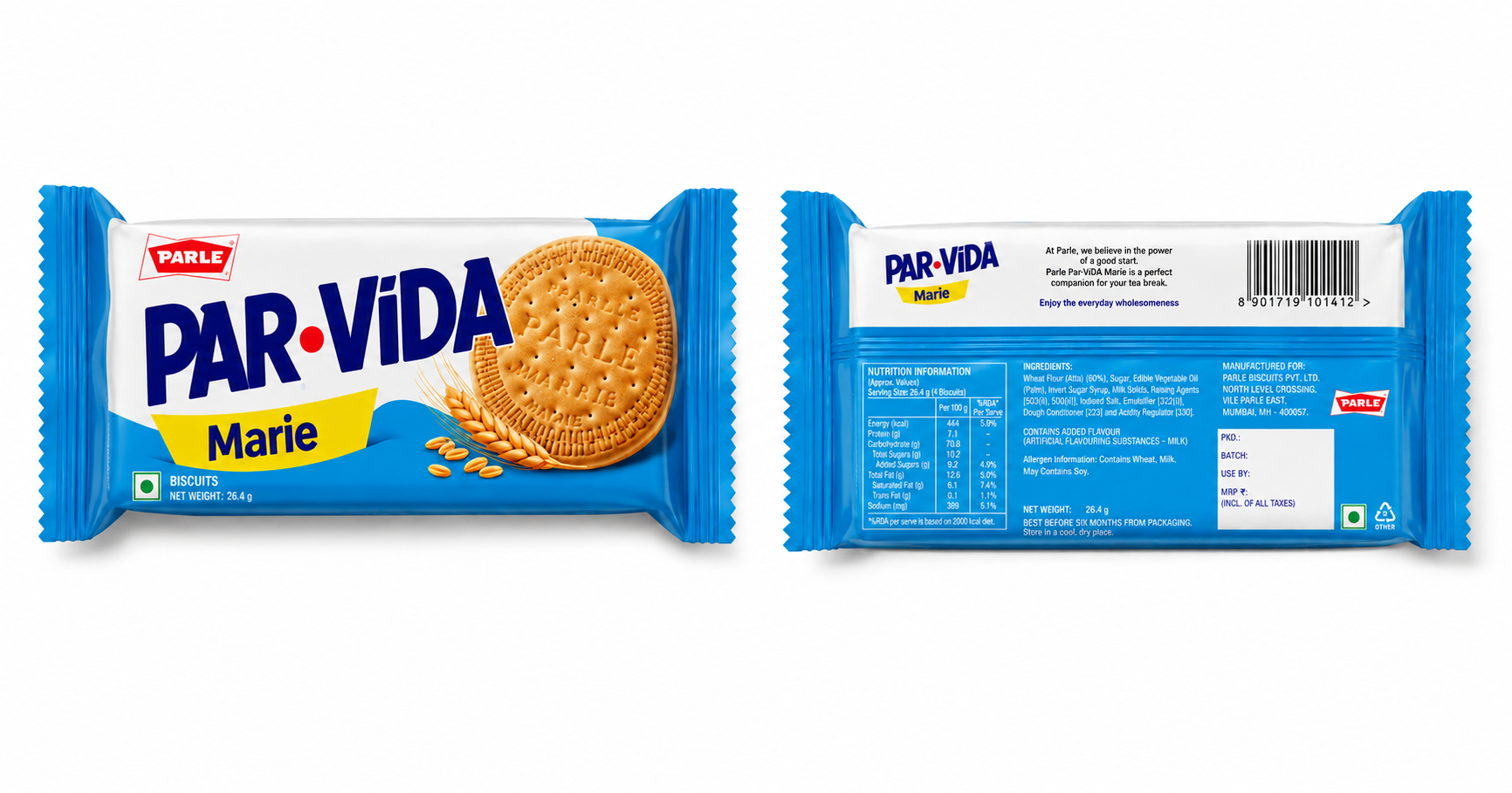
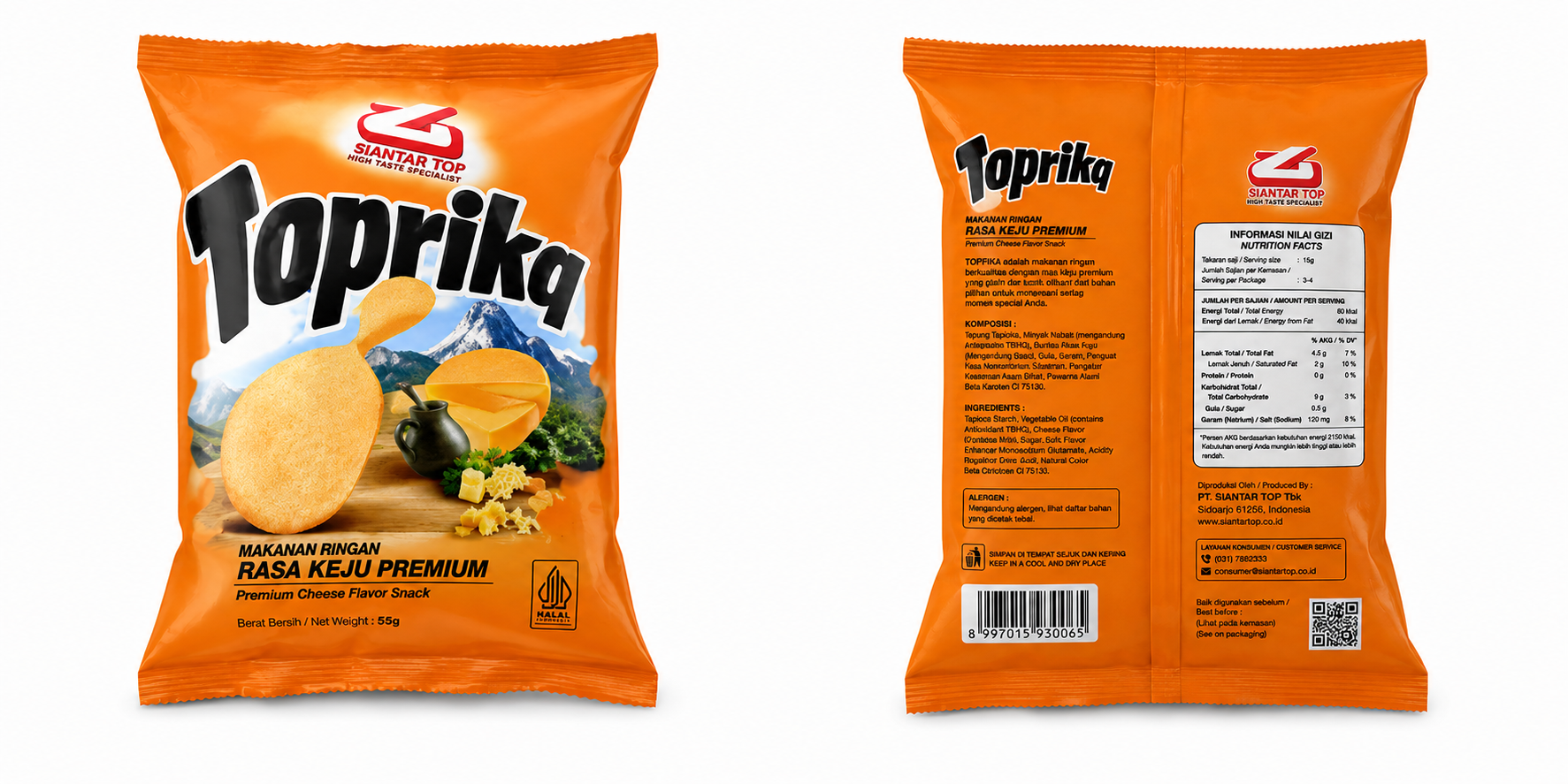
A plain-English scene prompt. No special syntax. Just describe the scene you want:
"Drop 25 objects randomly into the crate, focusing on both sides. Objects near the centre should lie flat. Introduce slight tilts across the board to simulate resting on unevenly stacked items."
Under the hood, Physics-Informed Neural Networks (PINNs) make sure your prompt is grounded in reality. Gravity, contact points, and natural stacking logic are all respected automatically.
What You Get
Forge synthesises a photorealistic scene and extracts a complete, training-ready dataset in a single run. These are the four annotations that perception and 6D pose estimation models actually need:
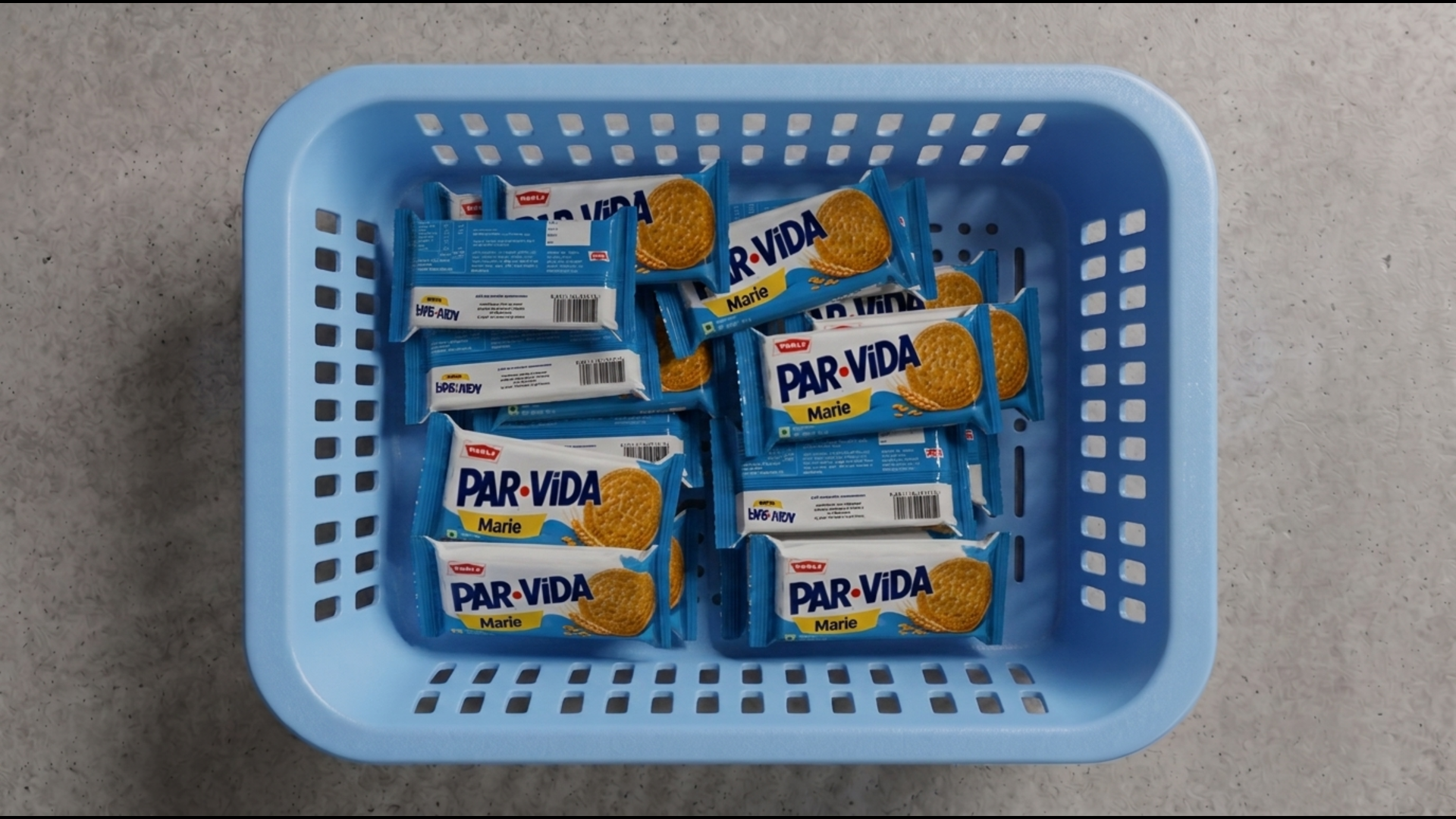
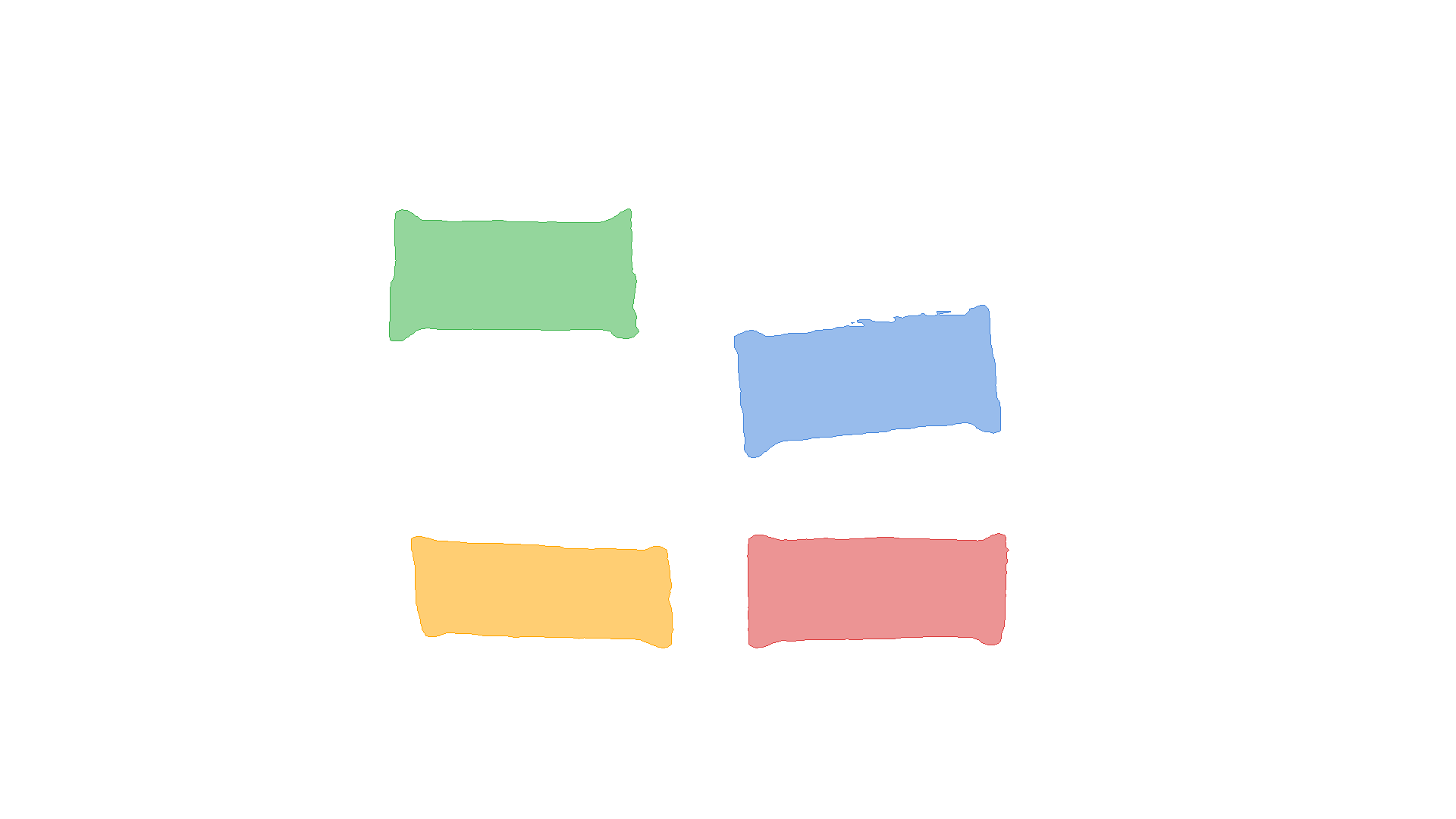
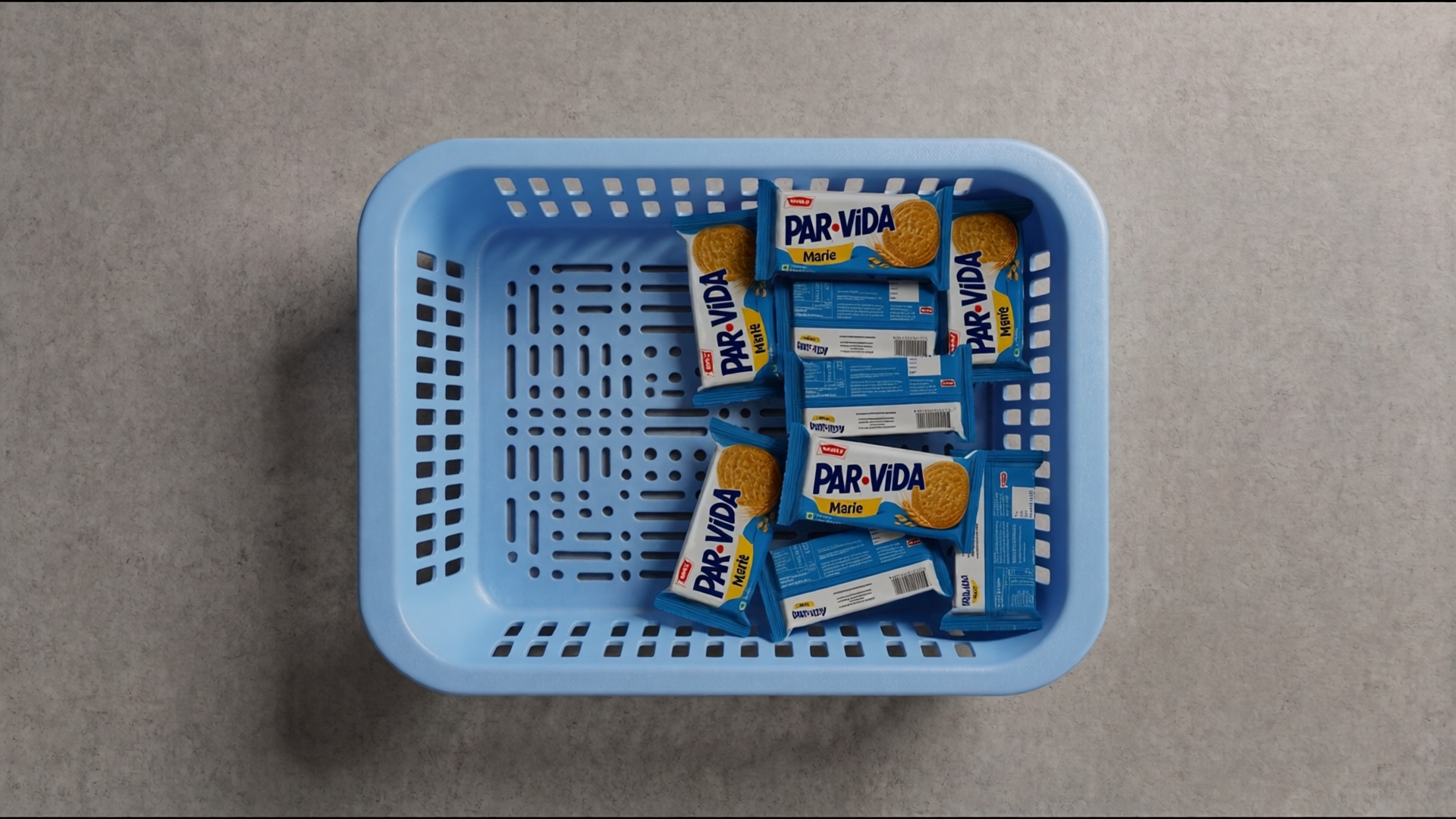
RGB Renders — Photorealistic scenes showing your objects physically settled in the environment, with varied orientations and natural lighting. What the camera sees.
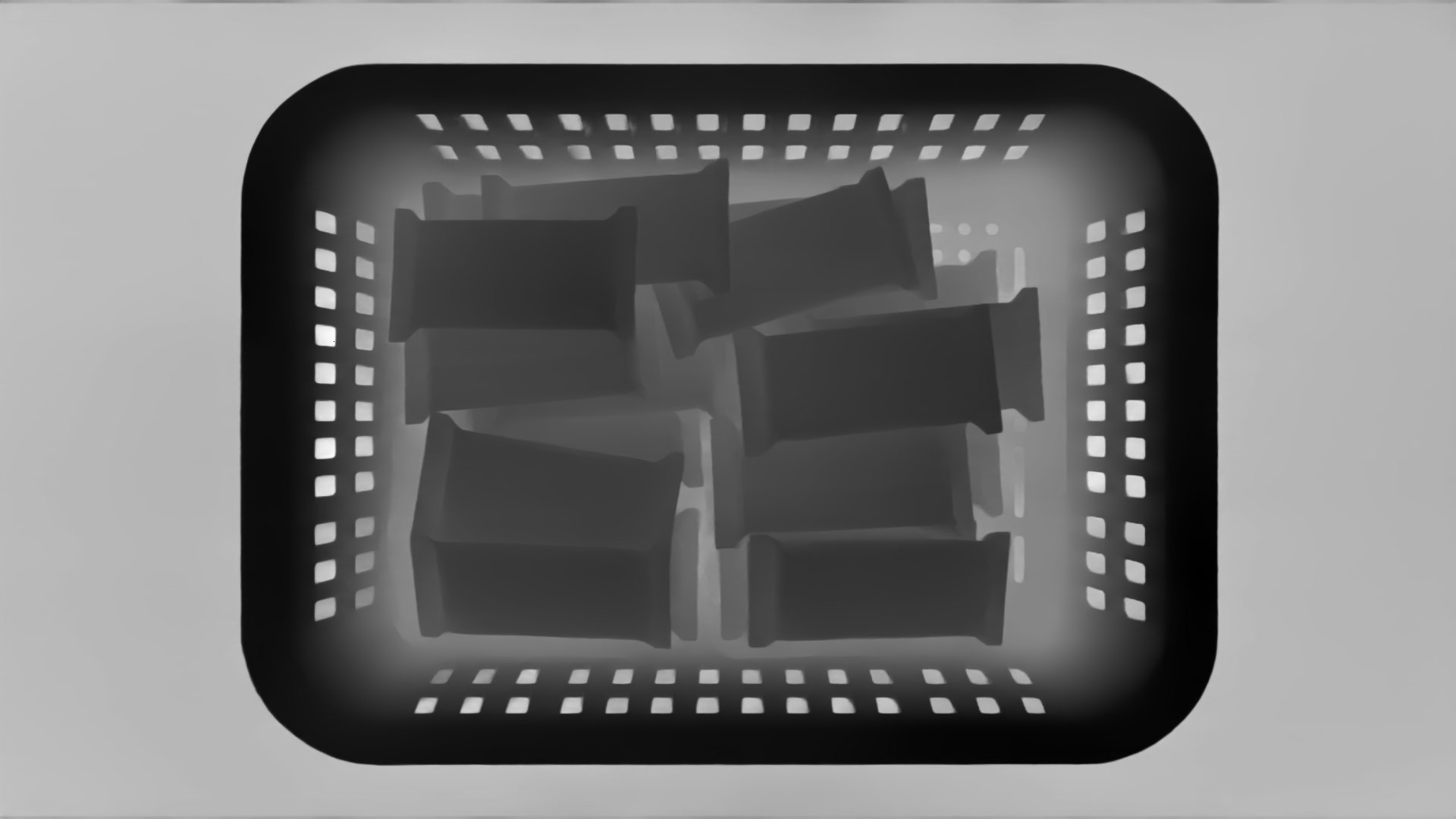
Depth Maps — High-resolution, per-pixel depth at full image resolution. Container walls and individual object surfaces are clearly resolved.
Instance Masks — Clean binary segmentation masks for the most useful object instances, those that are largely unoccluded and geometrically well-formed.
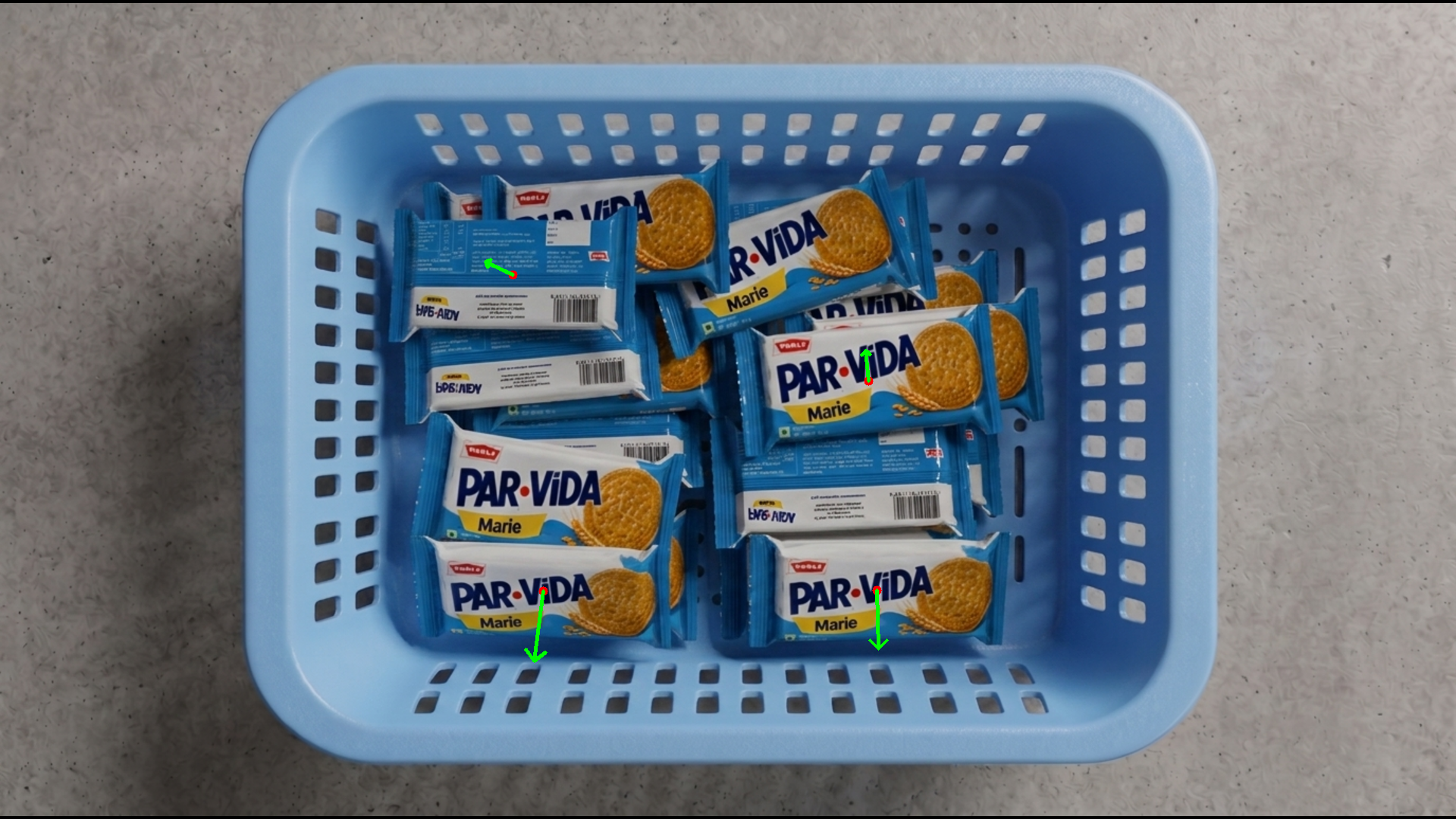
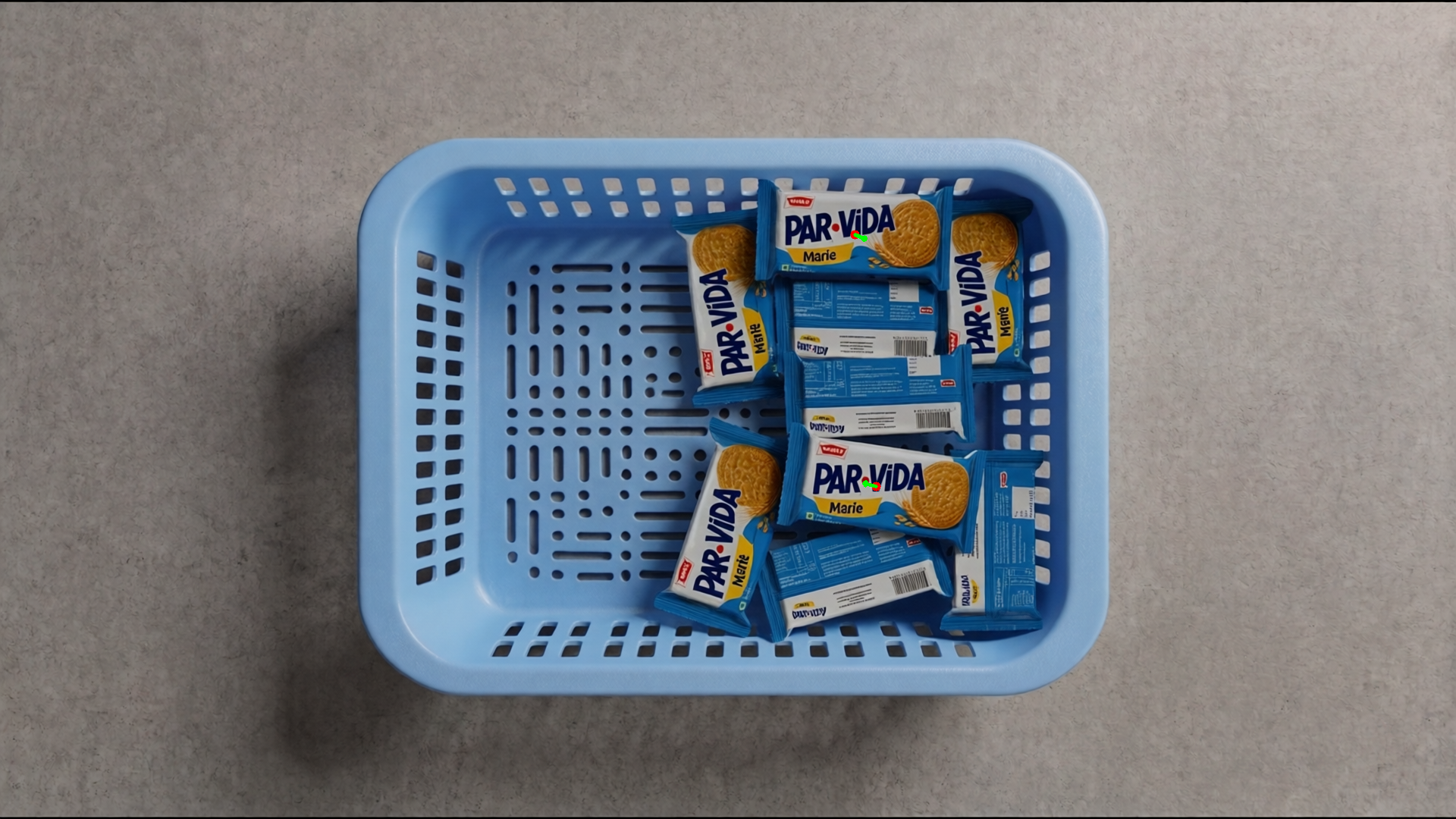
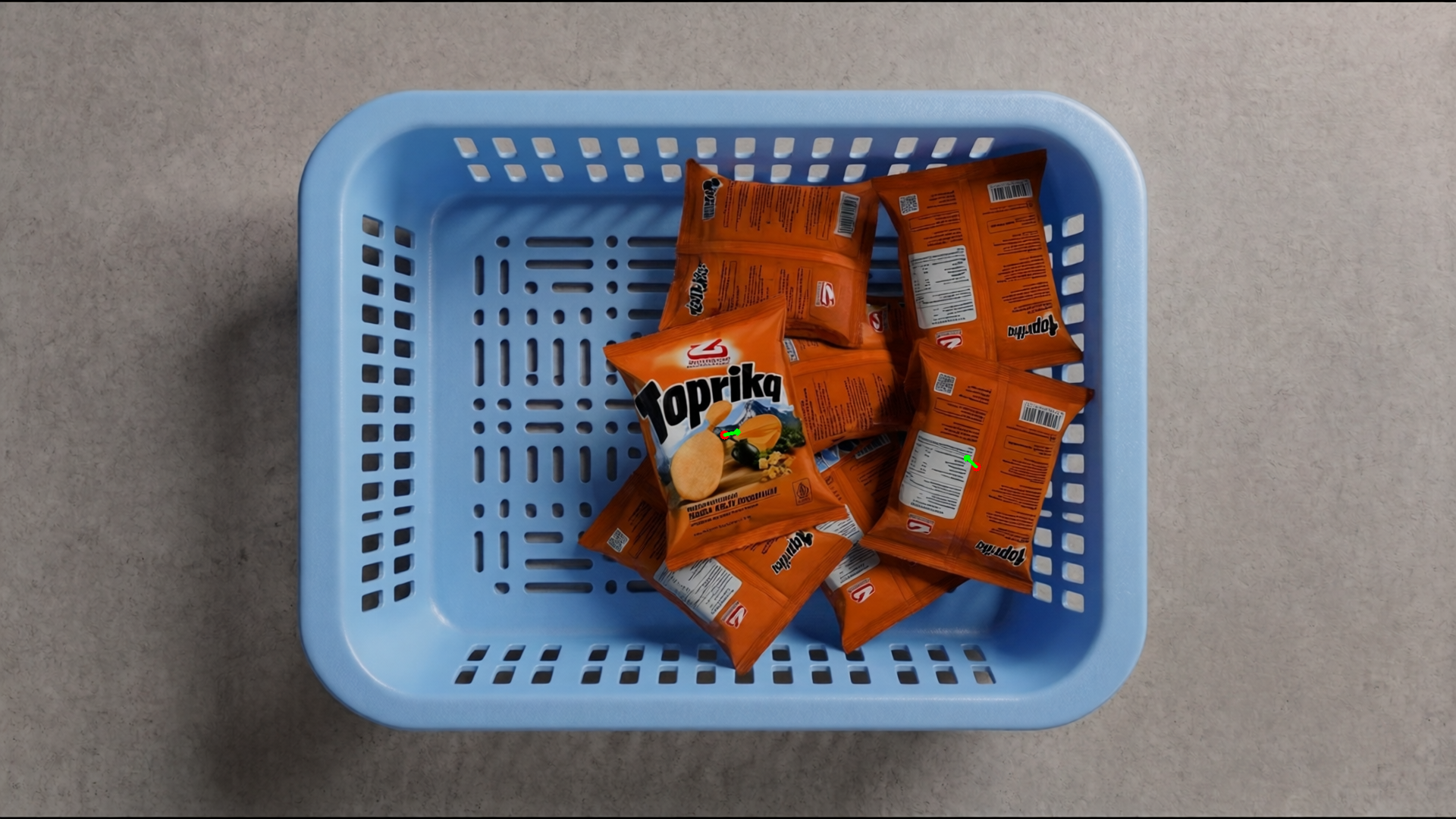
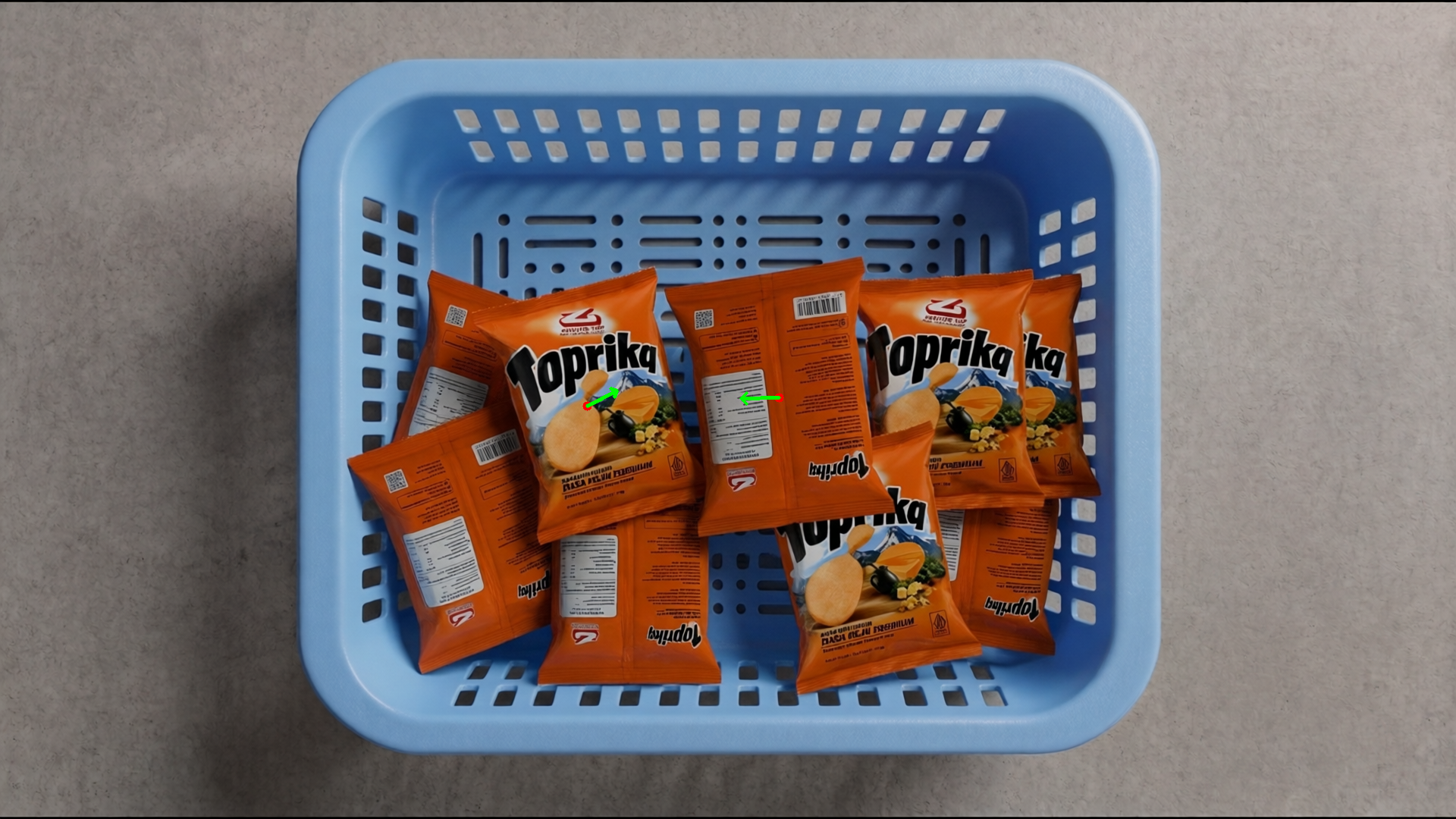
Surface Normals — The annotation that matters most for grasping. Forge derives world-space surface normals directly from the underlying 3D geometry of the scene, telling the robot arm the optimal approach angle for each visible face.
See It in Action
Example 1: ParVida Biscuits — Dense Layout
"Drop 20 ParVida biscuit packets randomly into the crate, focusing on both areas. Obey the strict RZ TILT RULES: any biscuit placed near the center of the crate (0,0) must lay flat (rz near 0). Only biscuits pressed hard against the absolute limits of the X or Y bounding box are permitted to have extreme rz rotations (up to ±90°). Introduce slight ±15° ry tilts across the board to simulate resting on unevenly stacked packets below them."
Example 2: ParVida Biscuits — Right Alignment
"Drop 11 ParVida biscuit packets randomly into the crate, focusing on the right_x area. Obey the strict RZ TILT RULES: any biscuit placed near the center of the crate (0,0) must lay flat (rz near 0). Only biscuits pressed hard against the absolute limits of the X or Y bounding box are permitted to have extreme rz rotations (up to ±90°). Introduce slight ±15° ry tilts across the board to simulate resting on unevenly stacked packets below them."


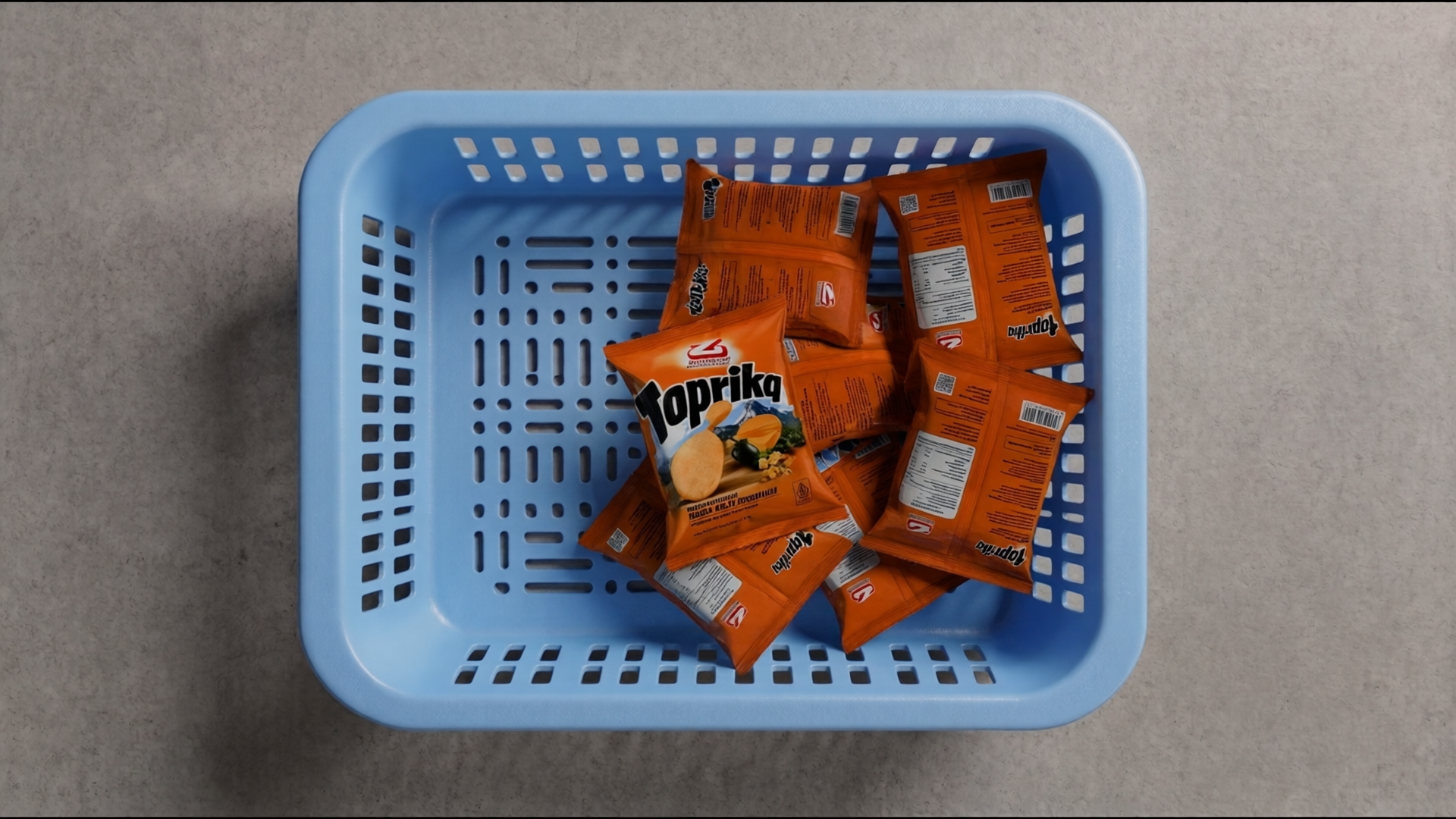
Example 3: Toprika Chips — Right Alignment
"Drop 7 Toprika Chips packets randomly into the crate, focusing on the right_x area. The chips packet depth is almost as wide as the usable Y-axis cavity, so Y-axis placement has almost zero tolerance. Obey the strict TILT RULES: any packet placed near the center of the crate (0,0) must lay flat (ry and rz near 0). However, for packets pressed hard against the absolute limits of the X or Y bounding box, apply extreme ry tilts (up to ±90°) and rz spins to simulate them heavily leaning against the crate walls. Introduce slight ±10° ry tilts for inner items to simulate resting on other packets."


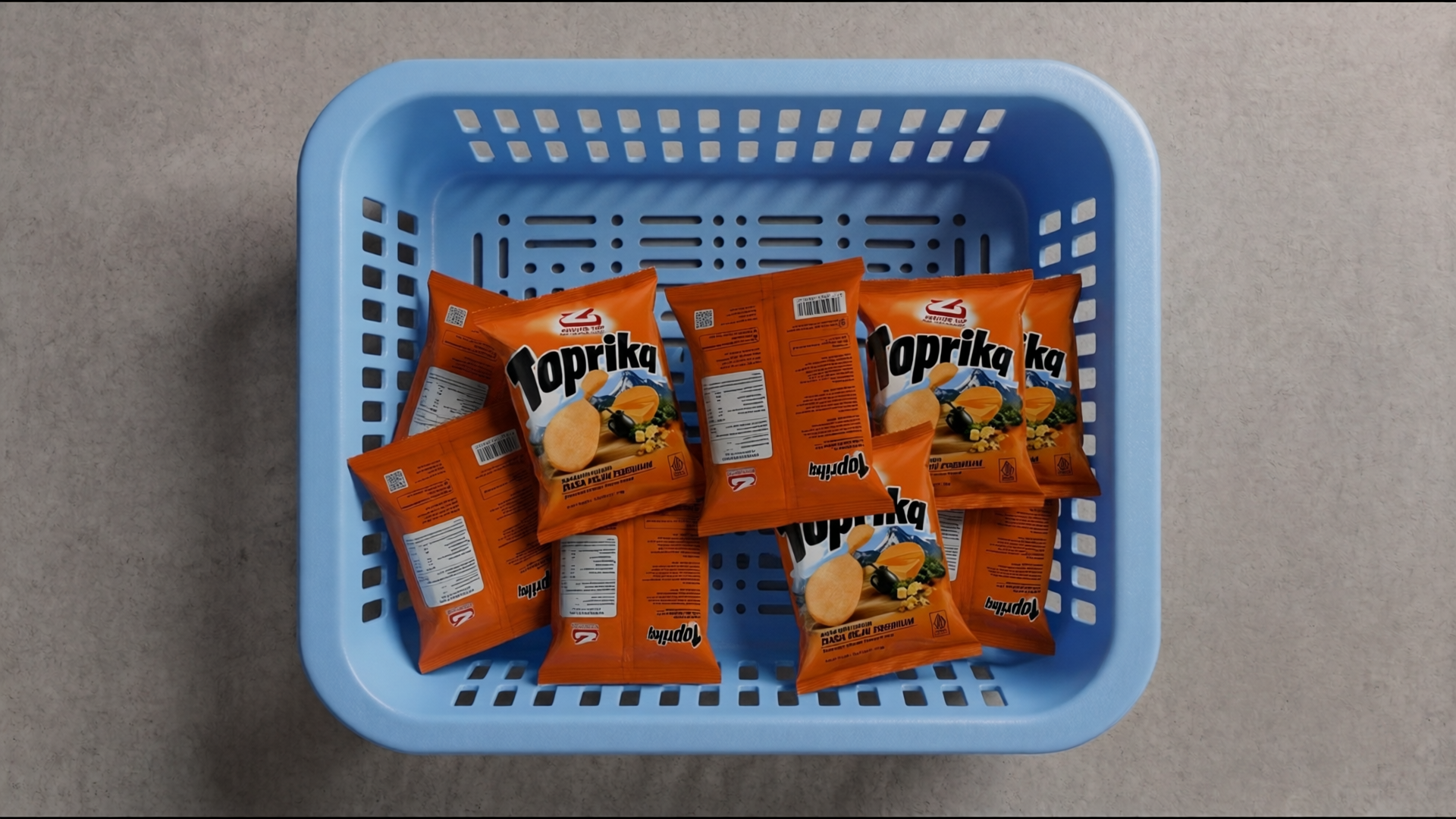
Example 4: Toprika Chips — Left Alignment
"Drop 9 Toprika Chips packets randomly into the crate, focusing on the left_y area. The chips packet depth is almost as wide as the usable Y-axis cavity, so Y-axis placement has almost zero tolerance. Obey the strict TILT RULES: any packet placed near the center of the crate (0,0) must lay flat (ry and rz near 0). However, for packets pressed hard against the absolute limits of the X or Y bounding box, apply extreme ry tilts (up to ±90°) and rz spins to simulate them heavily leaning against the crate walls. Introduce slight ±10° ry tilts for inner items to simulate resting on other packets."


Not Just a Dataset. A Live Simulation.
Generating annotated images is only half the story. To train closed-loop control policies, robots need to interact with these environments in real time, not just look at them.
Forge handles this automatically. After generating the visual dataset, the pipeline takes the exact spatial coordinates, orientations, and physical states resolved during generation and injects them directly into the physics simulator. The scene you described in a prompt becomes a loadable, interactive environment where simulations can run immediately.
No manual object placement. No separate simulation setup step. The same run that produces your dataset also produces a ready-to-use sim world.